I replaced my Google TV Streamer's ad-filled home screen with a launcher I designed in the browser and built with Claude Code. Four days, 96 commits. It shows my apps, photos I picked, and no ads. No rooting required.
You know that moment when you switch on the TV and the first thing you see is a row of shows you never picked? That's the home screen on my Google TV Streamer. Recommendations, ads, and a tab called "For You" that has never once known me.
I open Netflix or YouTube. That's it. Everything else is noise I scroll past to reach one tile.
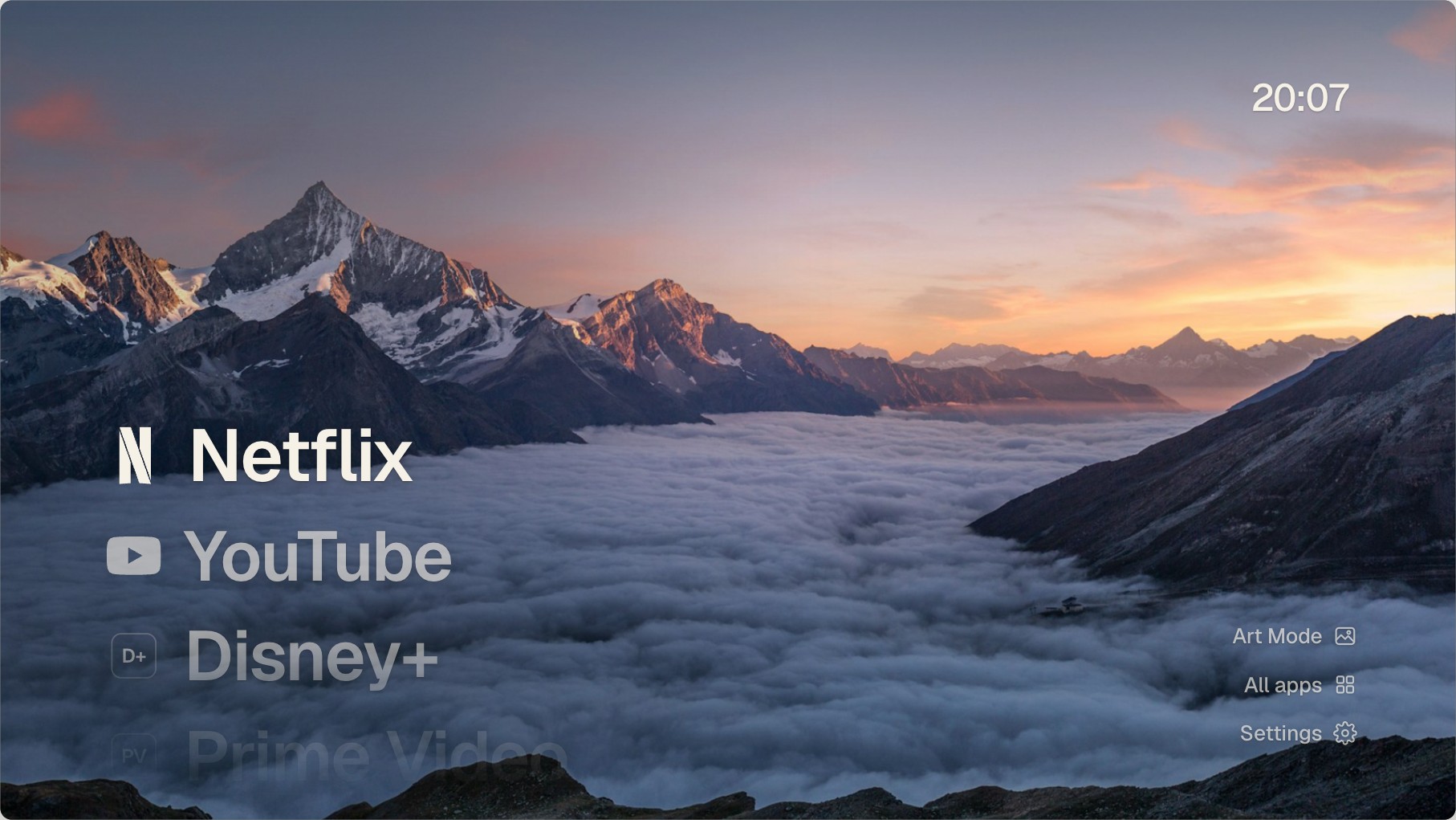
The browser prototype.
I'm a product designer, not a developer. So I did what I do at work and designed it first, in a browser prototype, before anything ran on the TV. It is the same browser-first design workflow I use at work. Then I told Claude Code to build it. I directed, Claude wrote the Kotlin. Four days, 96 commits.
The brief was one line: show my apps and nothing else. A big list of app names. Move down and the photo behind it changes, so Netflix gets a mountain at sunset and YouTube gets a different one. 28 photos in total, all picked by me from Wikimedia's featured pictures. The clock and the weather sit in a corner. Nothing blinks.
My Google remote is dead, so I use the TV's own remote over HDMI. It sends arrows, OK and Back, and that's the whole design budget. Every screen follows the same rule. The app you're on gets a frosted plate. In Settings, moving over an option only previews it. OK applies it. Back keeps what you had. Nothing on the screen surprises me.
I also built a second layout, with wide tiles like Apple TV. Both ship in the app, and Settings switches between them.
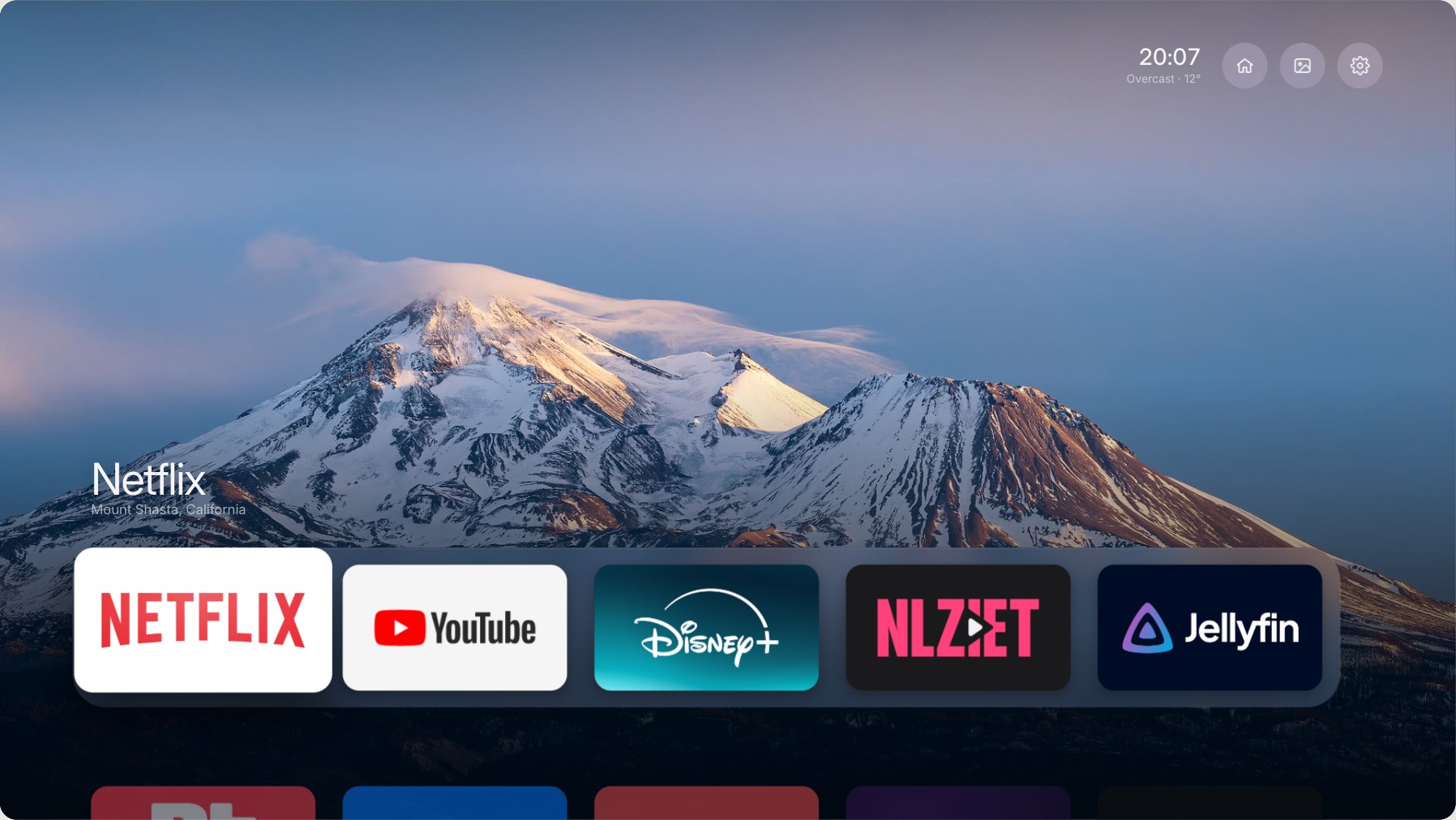
The Shelf layout, also from the prototype.
Getting the Google TV Home button to cooperate
The design was the easy part. The Home button wasn't.
Pressing Home on a Google TV opens Google's launcher (that's the app that draws the home screen), whatever you install. I tried three things.
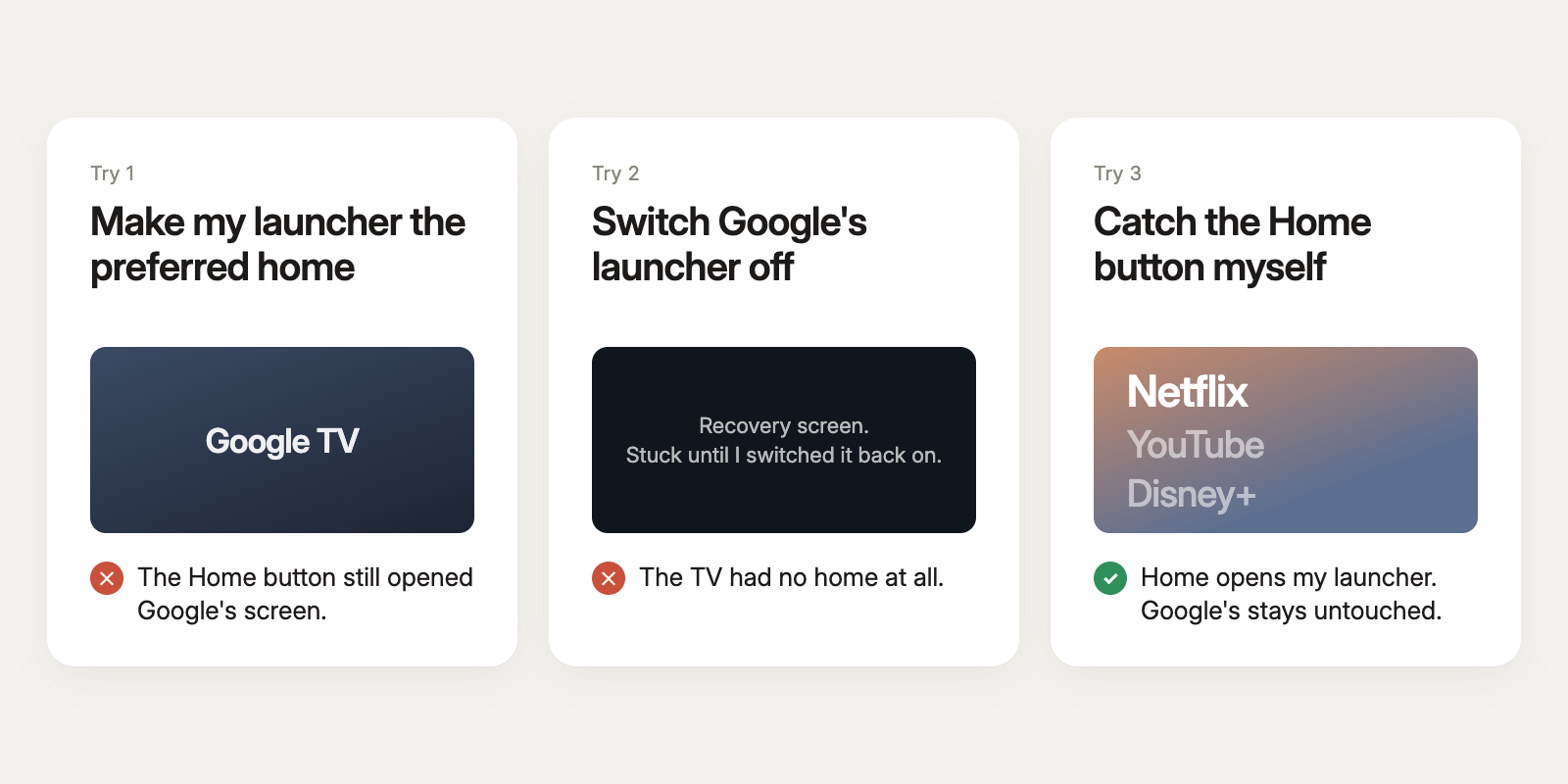
Telling the TV to prefer my launcher did nothing. Switching Google's off sent the TV to a recovery screen and left it there until I switched it back on. The third one worked: a small helper in my app listens for the Home button and opens my launcher first. It uses an accessibility feature, so one switch in the TV's settings turns the whole thing off again.
Making the launcher run smoothly on the TV
Then the TV started to stutter. A smooth screen needs a frame every 16 milliseconds or so. On the Shelf layout the Streamer took 27, and one full-screen gradient alone cost 18. The gradient looked great in the browser prototype. I swapped it for a picture drawn ahead of time, did the same with the frosted glass, and got to 9. The design stayed the same. Only the way the TV draws it changed.
After that it grew. I run Home Assistant at home, so a panel on the TV now switches my lights: Movie night, All lights off, each room. When the doorbell rings the show pauses and a card shows who's at the door. I tested the pause on Netflix, and the card over YouTube.
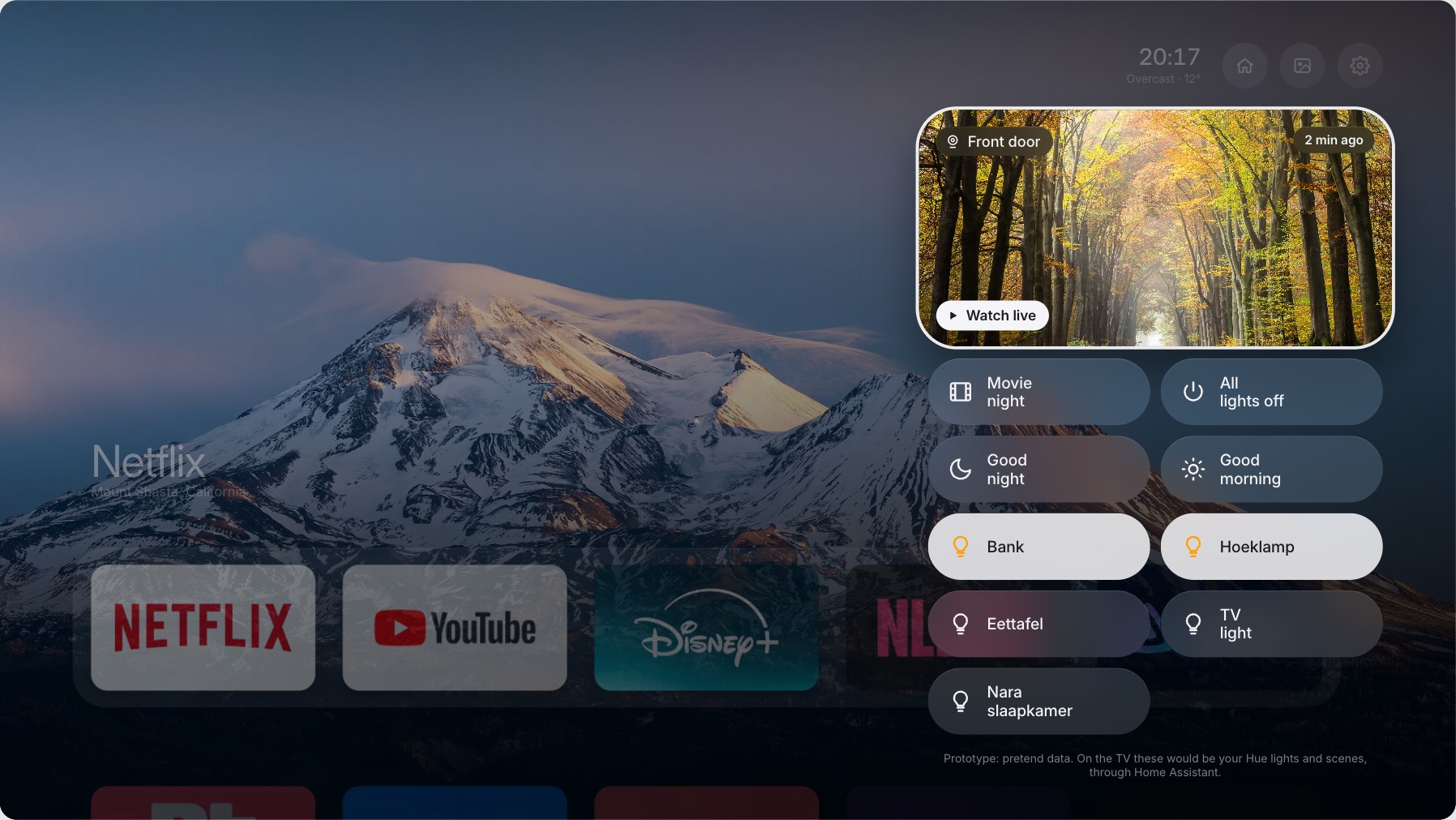
The lights panel, prototype with pretend data.
Google's home screen is still on the TV. I just don't have to look at it.